 I know not with what weapons World War III will be fought,
but World War IV will be fought with sticks and stones.
I know not with what weapons World War III will be fought,
but World War IV will be fought with sticks and stones.
Greetings Ranked War Freaks!
- I have created a Google Sheet to help you and your faction with Ranked Wars!
- You can give feedback or get support on my official
Torn.com forum post. - Version 2.0 is here!
- To use it you will have to make a copy of the most recent version
- RW Helper V2.0
- ****Previous versions****
- Version 2.0
- Version 1.5 When you have the copy of the most recent version you can start setup of the sheet.
- PLEASE NOTE: This sheet will only work while you are matched waiting to start or while you are in a RW already.
- So with that being said lets just get to it....
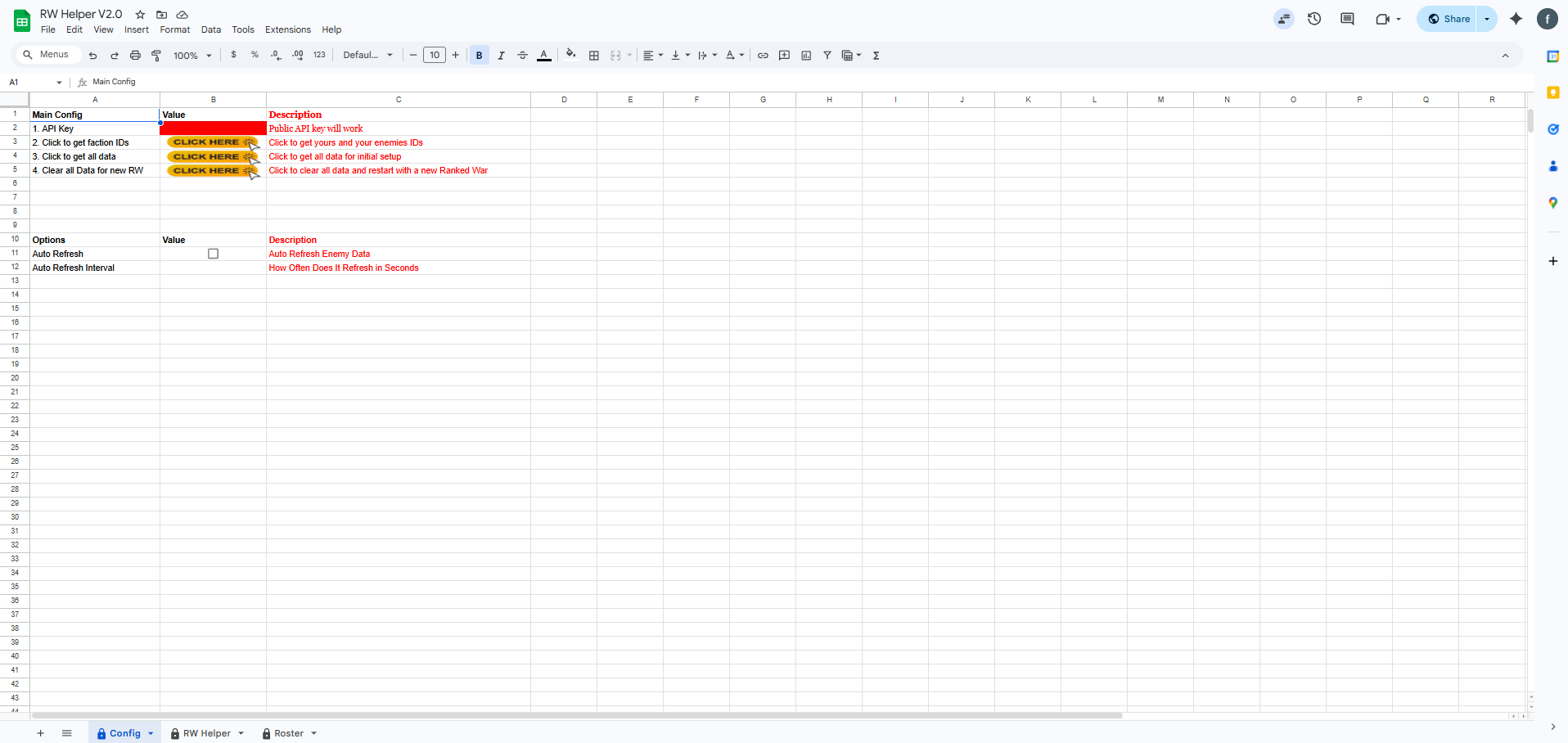
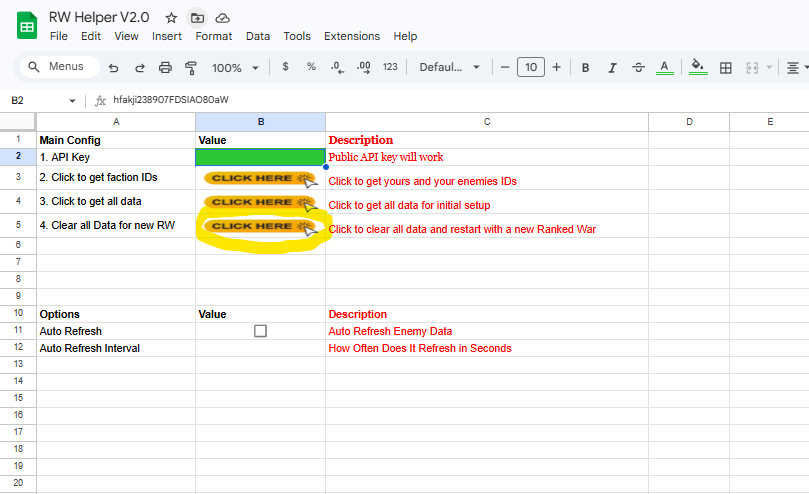
- 1. Fill in your PUBLIC API Key in the red box on the top left.
- 2. Once your API key is in the box will turn green, click the button to get faction ID's
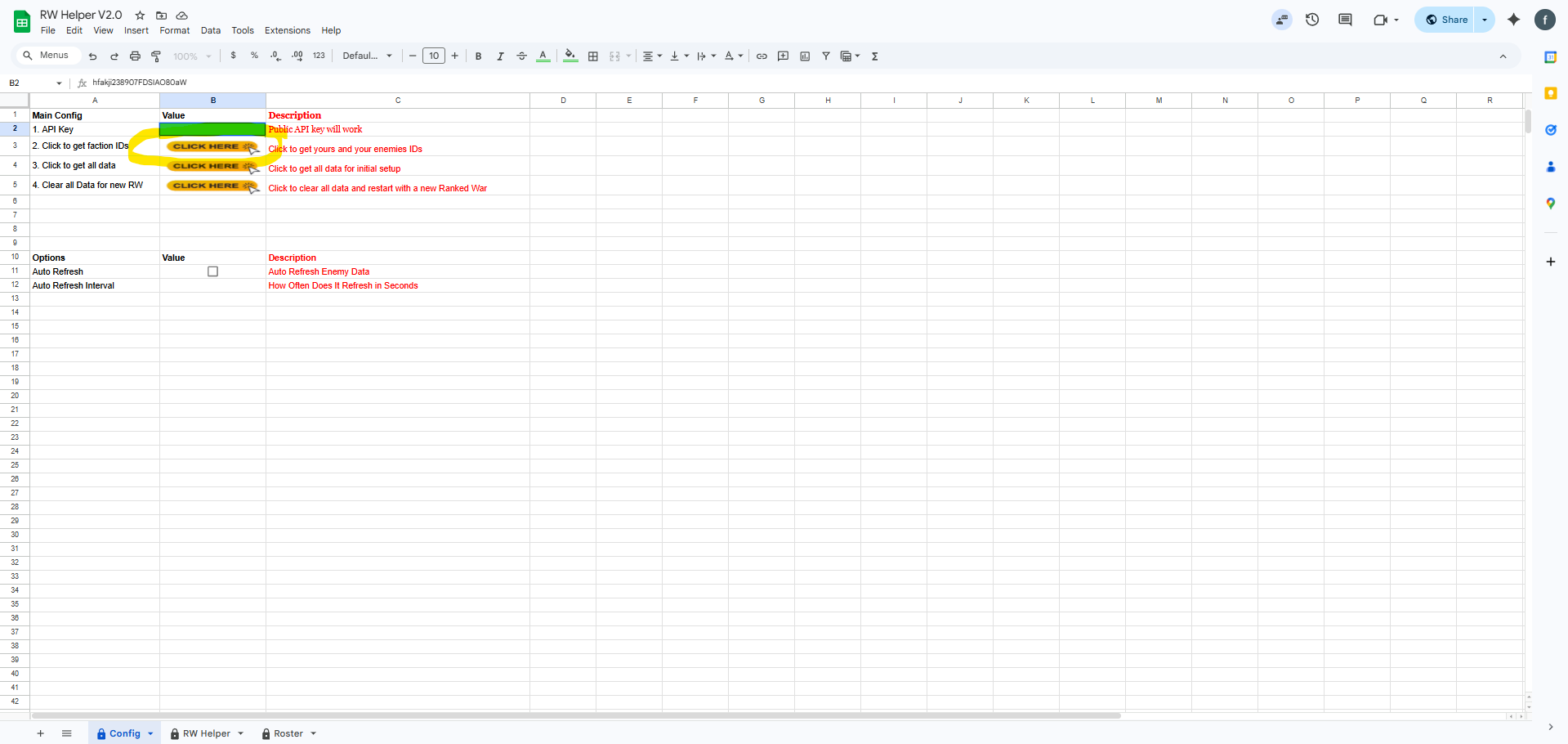
- 3. You will have to auth the sheet to allow it to run the scripts...
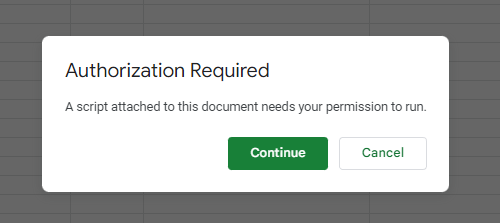
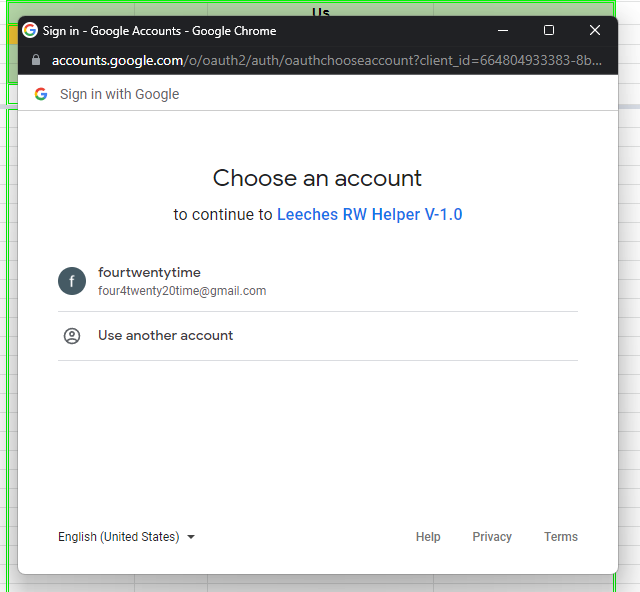
- 4. Chose your Gmail account to use....
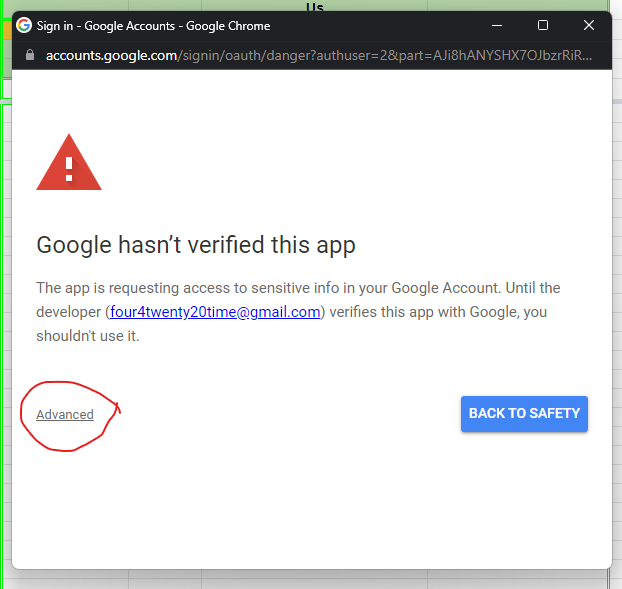
- 5. Click Advanced...
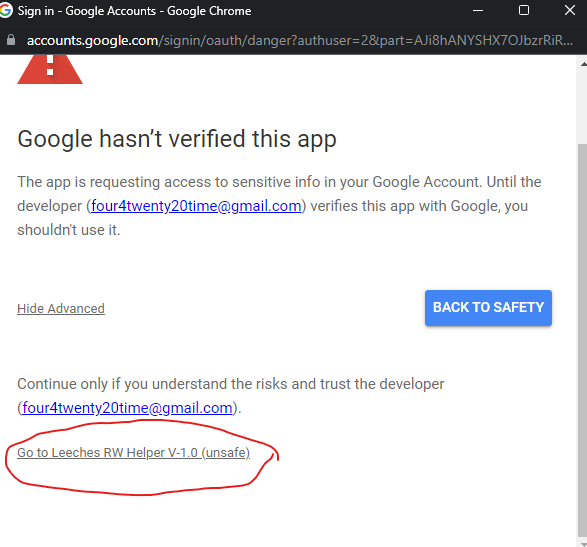
- 6. Click on the name of the sheet to allow it.
- This will be Copy of RW Helper V1.5 assuming you haven't renamed it already...
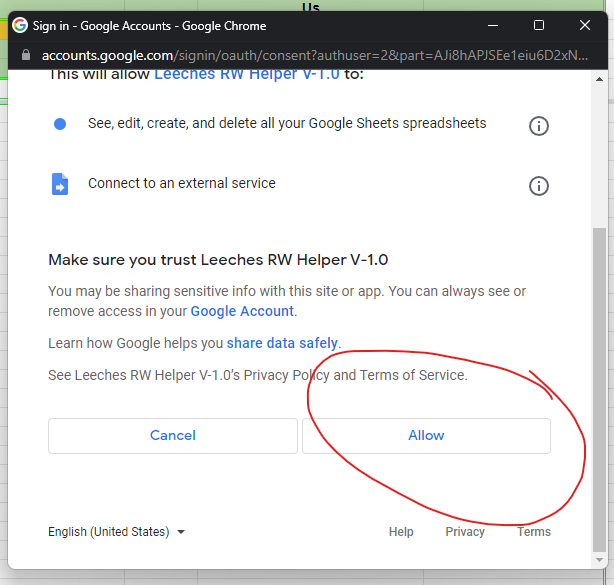
- 7. Then click allow...
- This allows the scripts in the sheet to run.
- 8. Click the button again to make sure we get both faction ID's.....
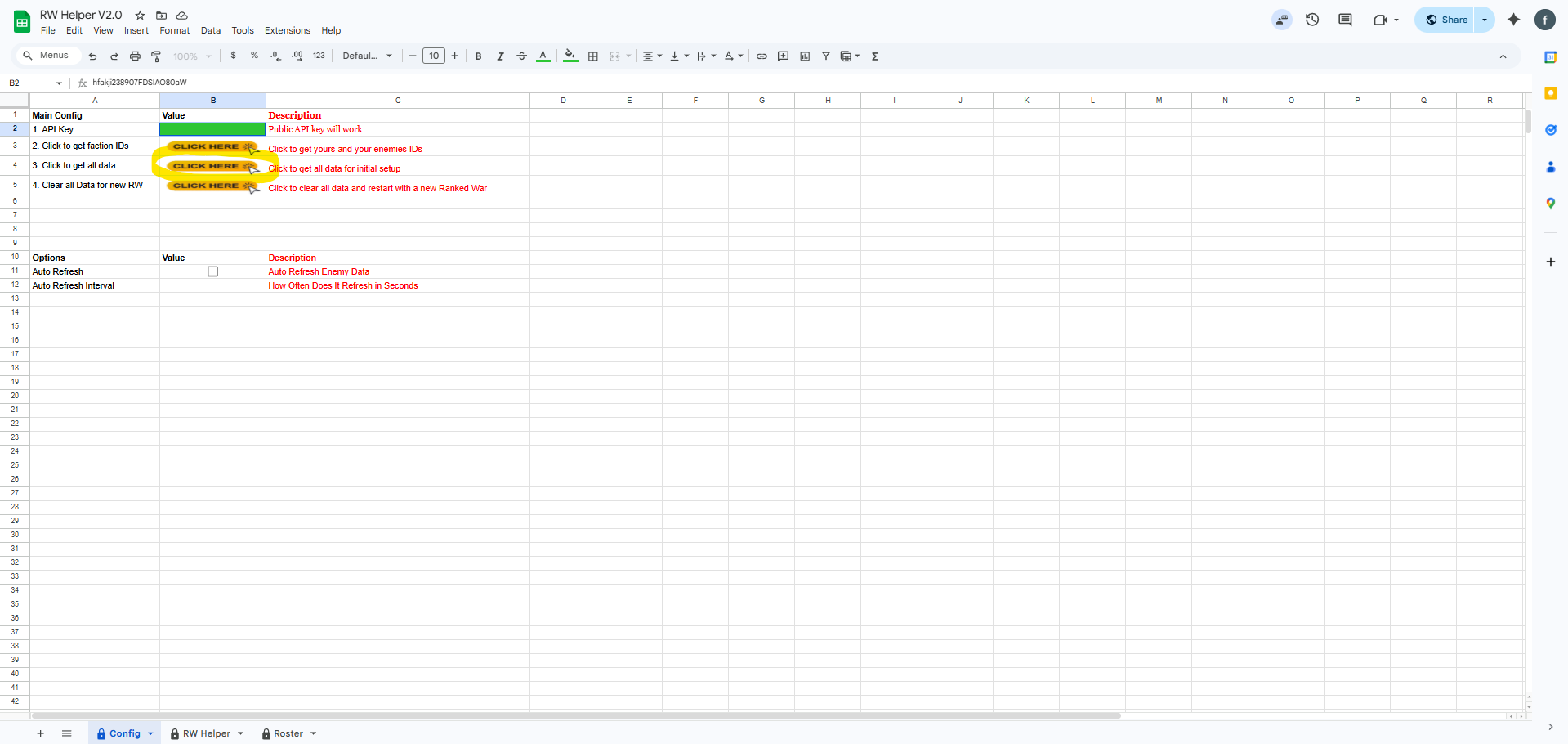
- 9. Click the button below that button to get all data on your current RW...
- This will fill in all data for both of your Factions on your current RW.
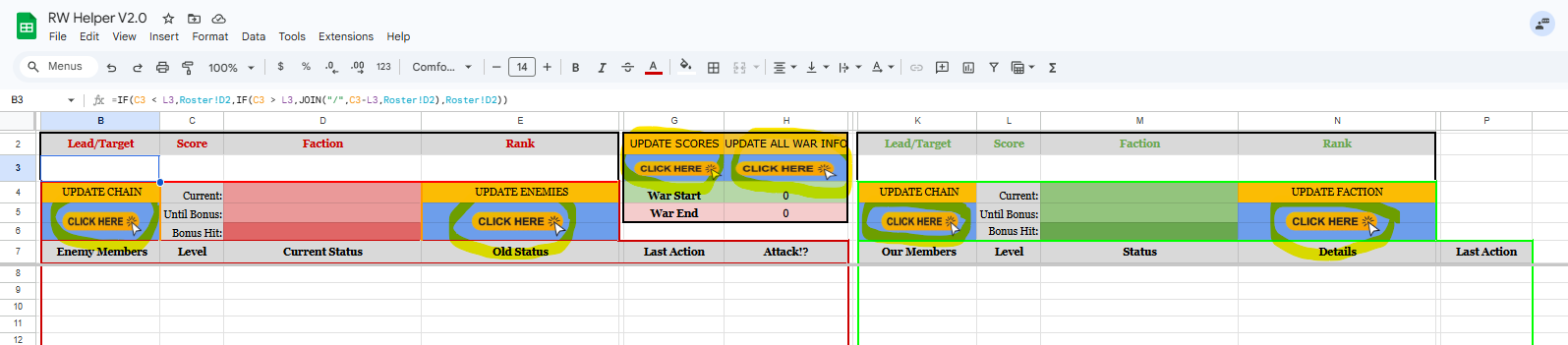
- Once you have gotten to this point the sheet is ready for use.
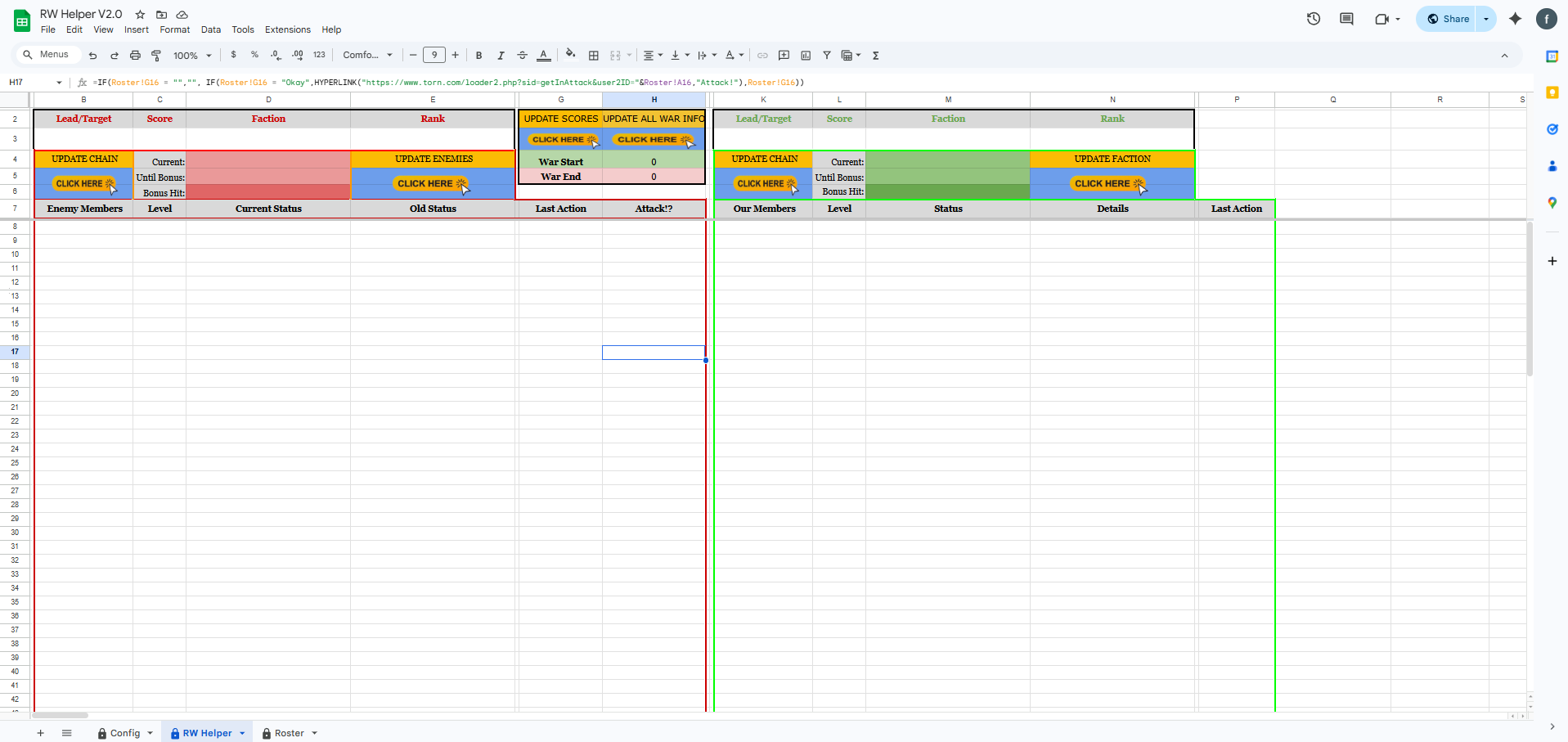
- When all the data is filled in you can use the buttons to update the different fields of data.
- Each button updates something different and are labeled above the buttons as to what they update.
- In the Members column on either side is the name of the member and a link to their profile.
- In the Attack column is the link to load the loader to attack that member in the enemy Faction.
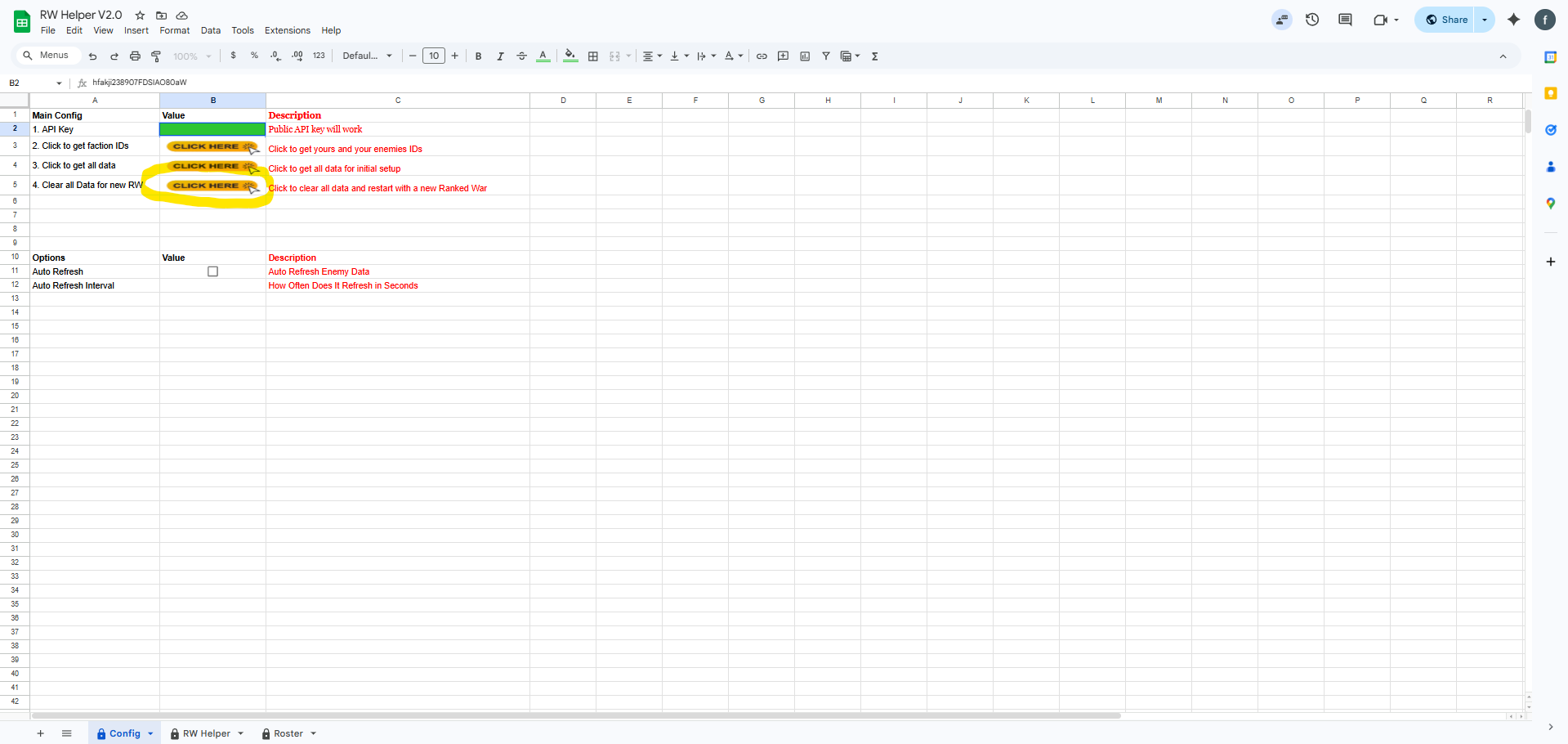
- This sheet is reusable for another war.
- All you have to do on the config tab is click the button to clear all data.
- This will clear the page and you can start from the beginning of setup
- again to get the new Faction IDs and use it on your next war!
- This will not remove your API key.
- mrdanger2001 [2238421] for all the help on layout and ideas.
- Zelda-Gold [2197756] for testing and input on layout ideas.
Credits: