How To Set A Trade
- In this guide I will show you how to set a trade with other players...
- Head on over to the players profile with whom you want to trade with.
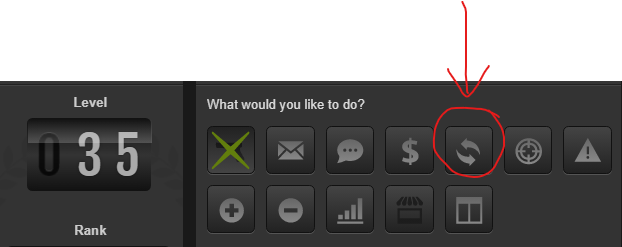
- Find the button on the top right that has the two rotating arrows.
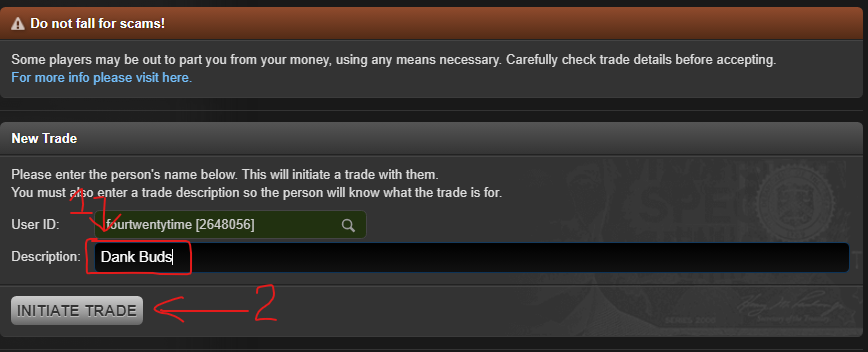
- When the initiate trade page loads give it a description and click "Initiate Trade".
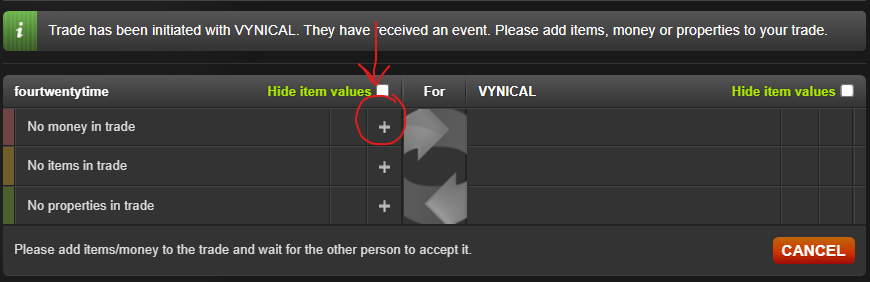
- Click the plus to start adding items or money.
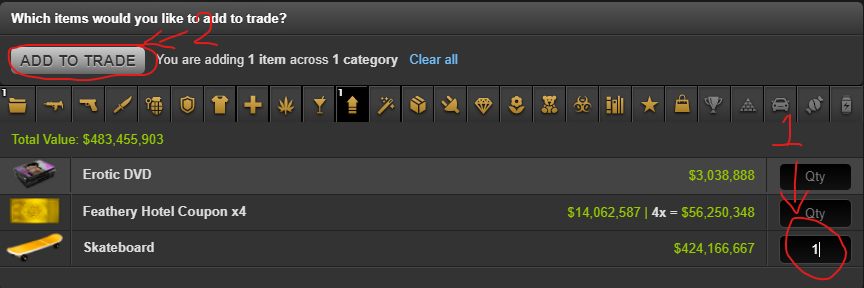
- When item select page loads chose a category up top, add items on right (you can add multiple items from multiple categories as well as money and properties) then click "Add to Trade".
- At this point you will have to wait until the other player adds money or items.
NOTE: The green amounts are from a browser extension (Torn Tools) that displays the live market value of items in trades. You can find this extension on my utilities page. 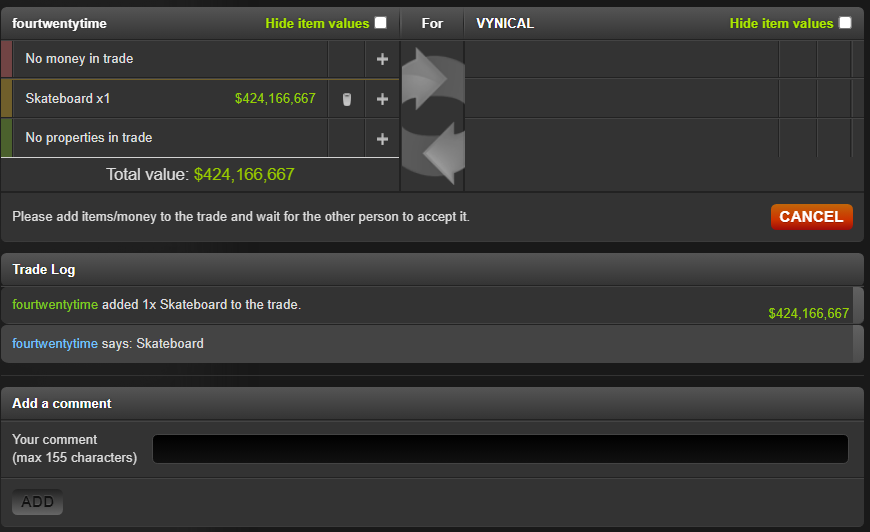
- While waiting for the other player to add money and or items you can refresh the current trade up top with the refresh button instead of having to keep reloading the page.

- When you are happy and the other player has added his/her share of items and or money click the accept button on the bottom right.
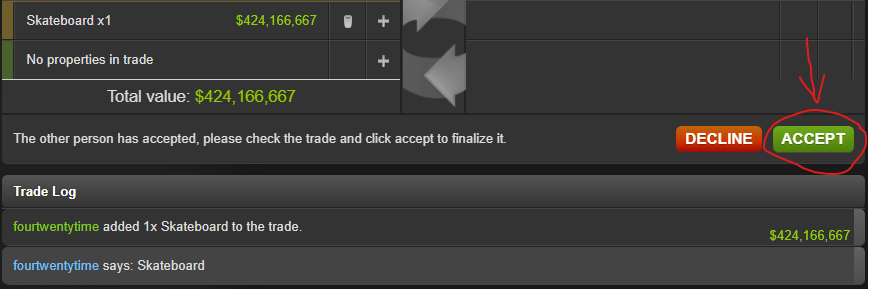
- Your trade is now complete.
 Free trade is not based on utility but on justice.
 -Edmund Burke